
GMX File Deep Dive
The signature feature of Dragon’s Desk is my custom document file format, .gmx. With GMX, my goal is to innovate a new way of presenting TTRPG content that allows the reader to customize their experience and enables creators to present information in deeper and more flexible ways.
GMX Capabilities
To show off the format, I’ll walk you through my conversion of Yochai Gal’s Cairn module, Rise of the Blood Olms. At its foundation, GMX is primarily just Markdown formatting, perfect for frontmatter and introductory information and exposition.
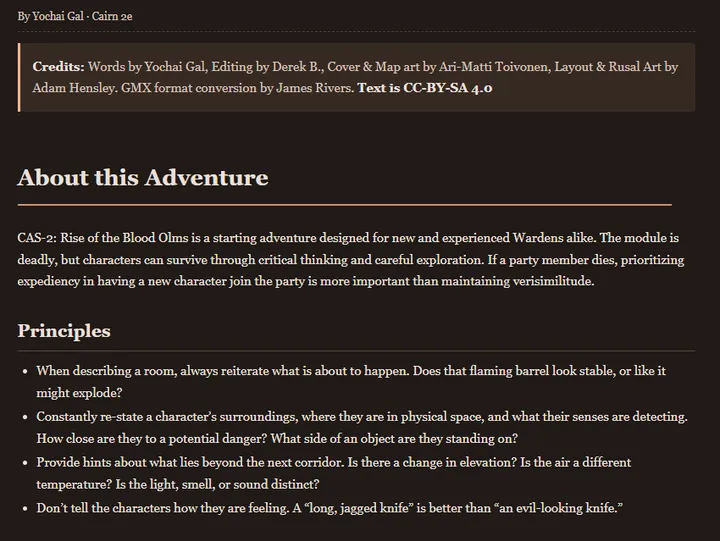
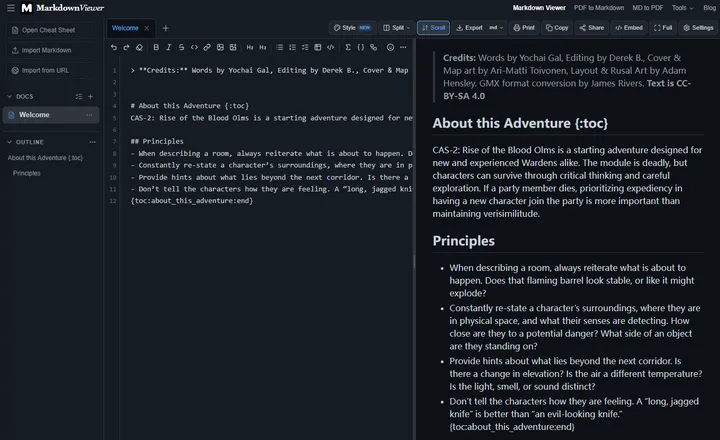
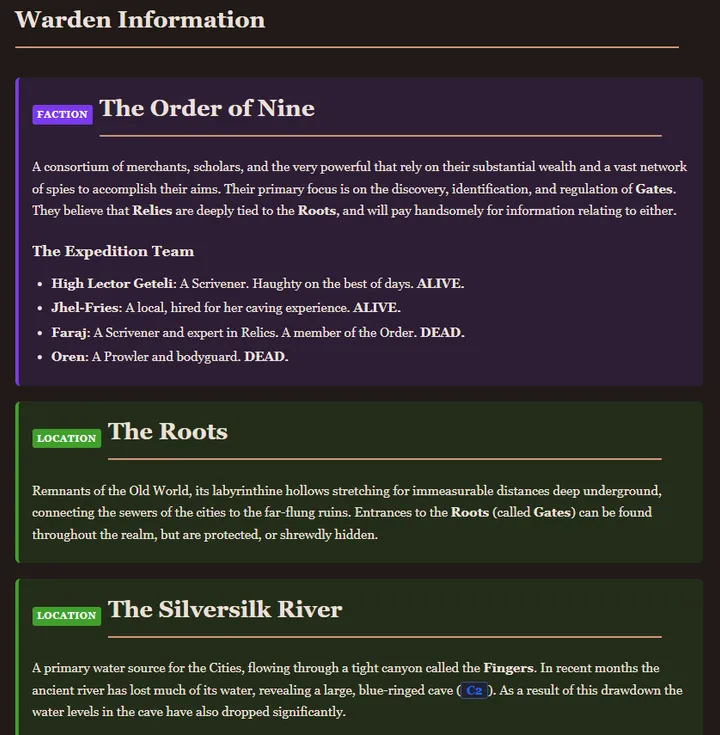
But to see the full power of GMX, the bread-and-butter of your modules is going to be in blocks to help organize your module’s information into clear sections. There are 10 types currently: location, room, encounter, trap, treasure, table, map, faction, entity, person. The only differences between most are the label and the color, no complex behaviors to worry about.
Authors can link to blocks from text elsewhere in the module, they are the main structure for your table of contents, and they can easily be nested under other blocks or table of contents headers to make sections and grouping clear.
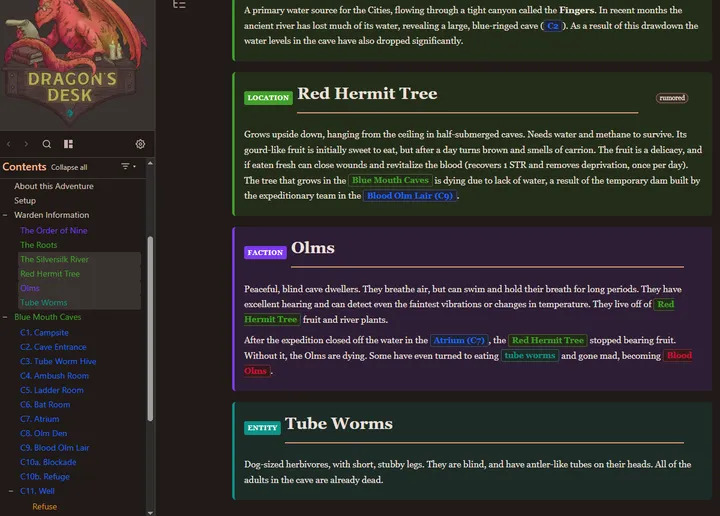
Users can currently bookmark or tag blocks, collapse them into just a header, and add highlights or notes on the text within them. You can filter the table of contents to hide particular block types, or filter the document itself to make selected block types default to collapsed. Hovering over a link also gives you a peek of the content on the other end.
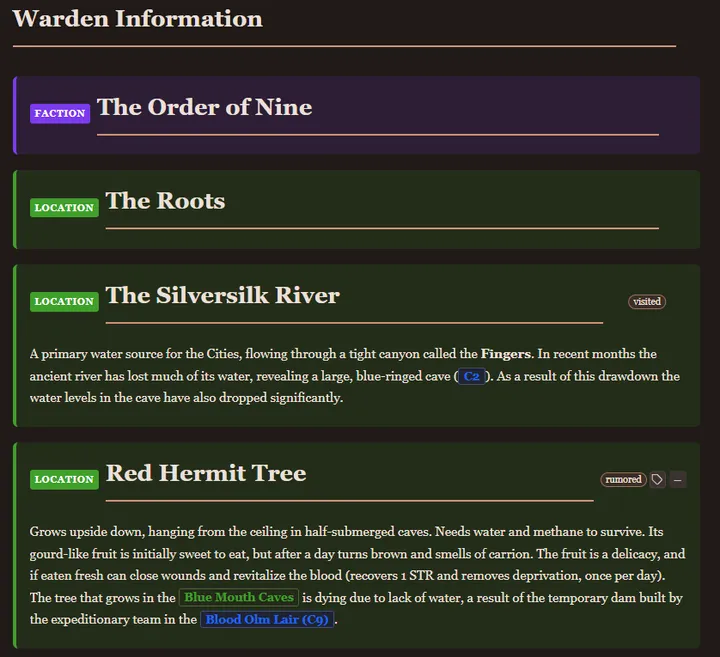
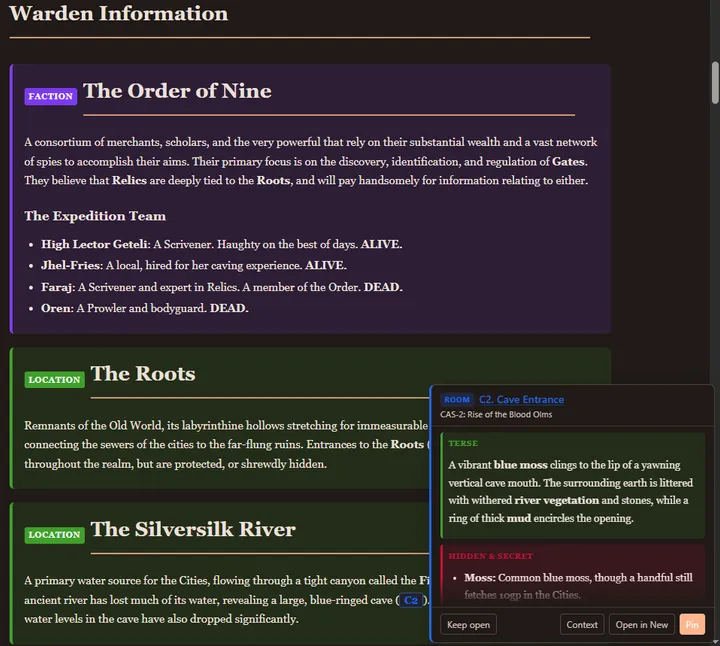
Another tool for authors is description layers, which are inspired by the Old School Essentials house style for communicating rooms. Currently there are Terse, Read-Aloud, and Hidden & Secret layers, so information can be clearly sorted into an overview, something the GM would be able to read to the players, and further information that might require investigation. Layers can be filtered and collapsed just like blocks.
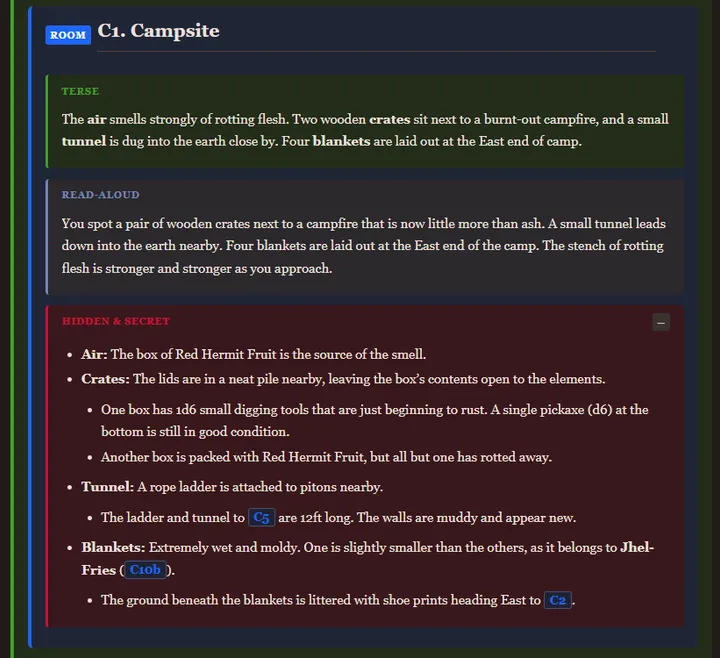
Added the Read-Aloud text as an example, the rest is original.
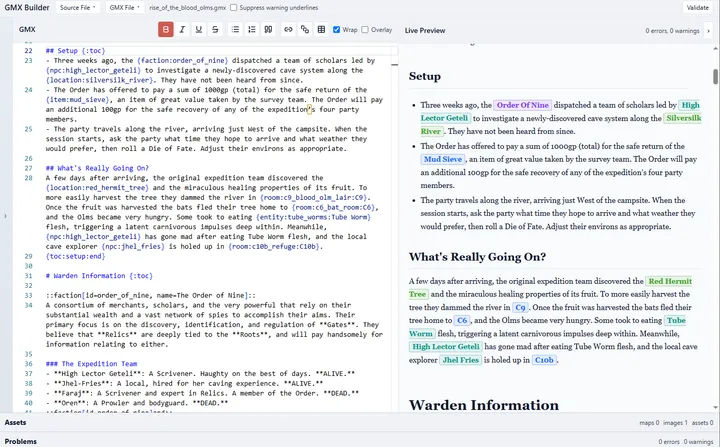
While it is extremely unfinished still, I am also developing a separate helper app to assist the process of converting documents to GMX. It will likely never have much true automation, but it already does well at reducing friction and I’ve done multiple myself.
Some features under consideration
- Customizable link density: Turn every Table of Contents keyword match into a link, keep whatever the author included, limit to one per block, or remove them altogether.
- Custom blocks: Let authors or users rename or add block types (without affecting the original file, if users are doing it), customize colors precisely, and track at the app level so you can reuse your customizations across all your documents.
Conclusion
Some other time I’ll show off the array of document preferences that a nice reflowable format like GMX enables, as well as some of the utility panes that complement GMX reading. That’s all for today though, thank you all for reading!
Subscribe here ↓, follow on socials, or join the Discord so you don’t miss future updates. If you have ideas or feedback, feel free to email me at dragonsdeskapp@gmail.com, I’d love to hear from you!